10 posts tagged with "Release"

View All Tags

V1.9.1 Cloud Library, self-contained archives, and path variables

· 9 min read
Sworld
Game Save Manager maintainer

This release rebuilds cloud sync as the Cloud Library, turns snapshots into self-contained 7z archives, and adds per-device path variables, per-game automatic backups, and a new interface.

Back up before upgrading

The old configuration is converted automatically and the change is one-way: 1.8 cannot read the new configuration afterwards, so make a full backup first. If you use cloud sync, upgrade every device to 1.9 first, then choose Upgrade to the new library on one of them; keep the app running during the switch, and it can resume if interrupted. See Upgrading to 1.9.

Highlights​

Cloud Library​

  • Choose Manual, Cloud backup, or Multi-device sync for each game on each device
  • When another device has newer progress, RGSM asks you to compare progress instead of overwriting local saves
  • Upload, download, or "download everything to this device" from the snapshot list, one snapshot or many at a time
  • Deletion comes in separate scopes: Remove local copy keeps the snapshot history and the cloud copy; Delete from this device only affects this device; Delete from cloud and all devices and Permanently delete from the Cloud Library cannot be undone, and offline devices carry them out when they reconnect
  • Cloud join codes connect another device by pasting one code (the code contains credentials, so keep it private)
  • A local folder can act as the cloud backend, and S3-compatible storage supports virtual-hosted addresses (Tencent COS, Alibaba OSS, and similar)
  • Backups, restores, and metadata edits work offline and synchronize in the background afterwards

Self-contained archives​

  • New snapshots are ordinary .7z files containing RESTORE.txt, so they can be restored by hand without this app
  • File timestamps and permissions are preserved, Windows hidden and read-only files are restored, and registry data is stored as standard .reg
  • Older ZIP snapshots still restore normally
  • Upgrade local snapshots (Settings → Backup settings) converts historical snapshots to the new format; it can be paused, and originals are kept until you clean them up

Per-device path variables​

  • Set the game installation directory, game root, and store account for each game per device
  • Override this device's path when one machine keeps saves somewhere unusual
  • Every Ludusavi path variable plus * and ? wildcards are supported; type < to pick a variable and preview the resolved path
  • Custom <var:name> variables can be defined per device or per game, with help to fill in a missing value or find it locally

Automatic and quick backup​

  • Scheduled backups are configured per game, several games can run timers at once, and the interval is configurable
  • Process monitoring adds triggers on game start, on exit, and at a chosen interval while running
  • The retention count for automatic backups can differ from the global setting

Game library​

  • Edit a game after adding it: rename it, add or remove save entries; files with the same name no longer conflict
  • Import the same game a second time as another instance
  • Scan visual novels automatically (Kirikiri2, Ren'Py, RPG Maker, Wolf RPG) and skip OneDrive files that are not downloaded yet
  • Sort the library by last played and other orders

Interface and updates​

  • Grouped settings navigation, with About folded into Settings; one result notification per backup or restore
  • The current snapshot is highlighted, and timestamps can show relative time
  • Choose whether the app opens on Favorites or All
  • Opt-in check for updates at startup; Windows installers download in the background and install when you press "Restart and install", while portable, Linux, and macOS builds stay manual
  • A local API section in Settings shows the address and manages its token
  • A native English documentation site

Fixes​

Backup and restore​

  • A restore stops if its extra backup cannot be created: your current save is not overwritten and the app explains why. The extra backup is skipped only when the game has no save files at the moment.
  • Every new backup is checked for integrity and verified before a restore, and a damaged backup is rejected. The settings "Compute integrity hash (XXH3) when creating backups" and "Verify archive integrity before restoring" are removed.
  • Backing up and restoring the same game no longer run at the same time, and automatic backup skips a game that is being restored; snapshots are no longer lost when a backup and a deletion happen together.
  • A power loss no longer leaves an empty save, and temporary files left by interrupted runs are cleaned up.
  • Upgrade local snapshots: a full disk or a permission error is now reported with its cause and stops the upgrade, and you can resume after freeing space; retrying an interrupted upgrade replaces a damaged leftover file; upgrade items for deleted snapshots finish automatically; historical backups stay reachable after storage folder names are upgraded.
  • Wildcard save paths resolve during snapshots, not only while editing.
  • "Delete then restore" undoes the deletion when the restore fails, and partial undo failures are reported accurately.
  • Writes retry when Windows briefly locks a file.

Cloud Library​

  • Opening save management no longer triggers a sync and shows local snapshots right away instead of waiting for the cloud refresh.
  • Requests to the cloud that stop responding now time out instead of hanging the sync.
  • Cloud errors now come with a message you can act on (check the network or settings, reconnect, rebuild, refresh) instead of raw English text containing the request address.
  • While the cloud cannot be reached, the sync overview lists the games this device already knows and marks them as "checking" instead of showing zero games.
  • When Cloud Library files are missing, RGSM reports a damaged library and offers Rebuild from this device instead of treating it as empty and erasing existing snapshots; rebuilding keeps the archives already in the cloud.
  • With a local folder as the cloud, an interrupted write no longer damages the library, and transfers no longer fail when saves are on another drive.
  • A sync failure in one game no longer affects the others, and after background sync changes a game, automatic backups and quick actions follow.
  • Saving settings no longer restores an outdated configuration for a Cloud Library game.
  • Create a library when the Jianguoyun root folder does not exist yet.
  • On the save management page, Remove local copy first confirms that the cloud holds a copy; when the cloud information cannot be loaded, the button is disabled and explains why.
  • Before deleting a Cloud Library game from this device, RGSM tells you how many snapshots exist only on this device and are not uploaded. If the cloud cannot be reached it only warns, and you can still continue.

Quick actions​

  • Quick backup and restore report failures and skip games that were deleted.
  • The management page of the game refreshes after a quick action.

Other​

  • Games whose names contain special characters import and open correctly.
  • The portable build reports its real version instead of RGSM_undefined.

Upgrade notes​

Upgrading the Cloud Library​

  • After the switch this device uses only the new library. Old cloud data is not deleted and older or downgraded versions can still view it, but they cannot see later progress. Progress made on a device that still runs an old version does not enter the new library.
  • The switch lists what will not be carried over. Games that the old cloud configuration does not list keep their snapshots in the old folder and do not appear in the new library; games that exist only on this device keep working locally with cloud sync off. A failed download of an old archive during the switch is retried automatically.
  • You can turn on automatic Cloud Library snapshot cleanup. If this device limited automatic backups for some games, the switch asks whether to carry that count over. Turning it on permanently deletes older automatic snapshots from every device and the cloud; the current position and protected snapshots are not affected. If you do not turn it on, nothing is cleaned up.
  • Games in the Cloud Library no longer use this device's automatic-backup count limit; their older snapshots are managed only by automatic Cloud Library snapshot cleanup, and are not cleaned up locally while cloud storage is turned off on this device.

Upgrading this device​

  • History of games in the Cloud Library stays in ZIP format. "Upgrade local snapshots" does not convert it and it keeps syncing normally; new backups use 7z.
  • The tray's auto-backup interval menu (5/10/30/60 minutes and off) is gone; intervals are set per game in its backup settings.
  • Installation locations that cannot be matched to one game stay under Settings → Auto scan → Unmatched installation directories for you to confirm.
  • The old configuration file: after the upgrade the data directory keeps only GameSaveManager.config.json.bak (the configuration from before the upgrade). To go back to an older version, rename it back to GameSaveManager.config.json. If you used a 1.9 test build, the old configuration file is renamed to .bak at the first start as well. See Backing up and moving your data for what each file does.
  • Configuration from 1.9 test builds is not guaranteed to upgrade; upgrading an existing 1.9 Cloud Library is handled separately, see Upgrading to 1.9.
  • The portable build here is the slim variant without the bundled Ludusavi database; update it from Settings when needed.

Download​

The portable build is recommended. If it will not start, install WebView2.

Full Changelog: https://github.com/mcthesw/game-save-manager/compare/v1.8.0...v1.9.1
Discussions​

V1.8.0 Cloud sync, save detection, and Archive V2

· 3 min read
Sworld
Game Save Manager maintainer

This release adds cloud-sync status management, Ludusavi save detection, Archive V2, and Windows registry backups. These features, together with security, performance, and architecture changes, bring the version directly to V1.8.0.

Highlights​

Ludusavi save detection​

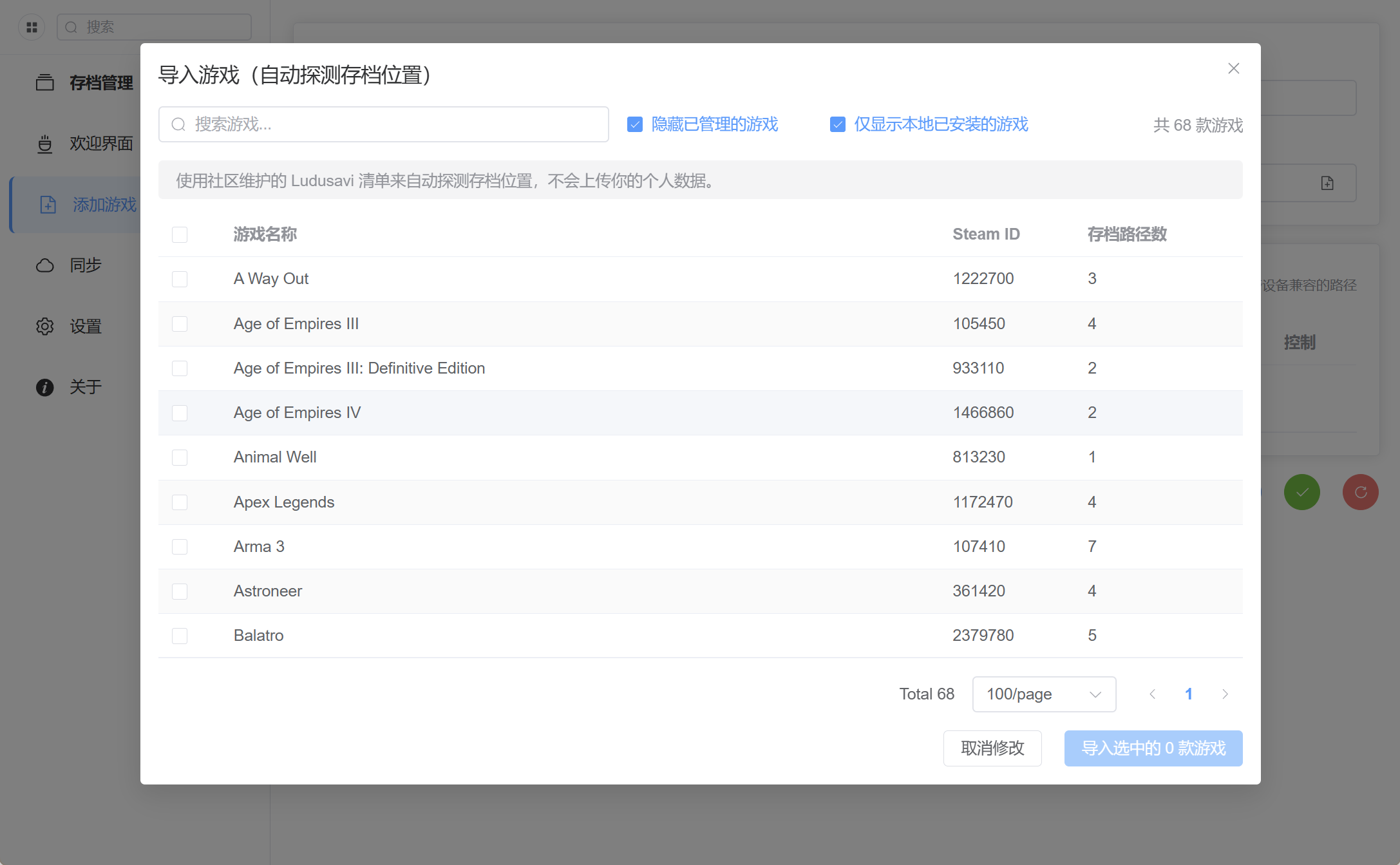
  • Match save locations automatically when adding games using the Ludusavi database
  • Embed a compressed manifest through rust-embed; a smaller build without the manifest is under consideration
  • Explain batch-import failures and registry paths

Ludusavi save detection

Cloud sync​

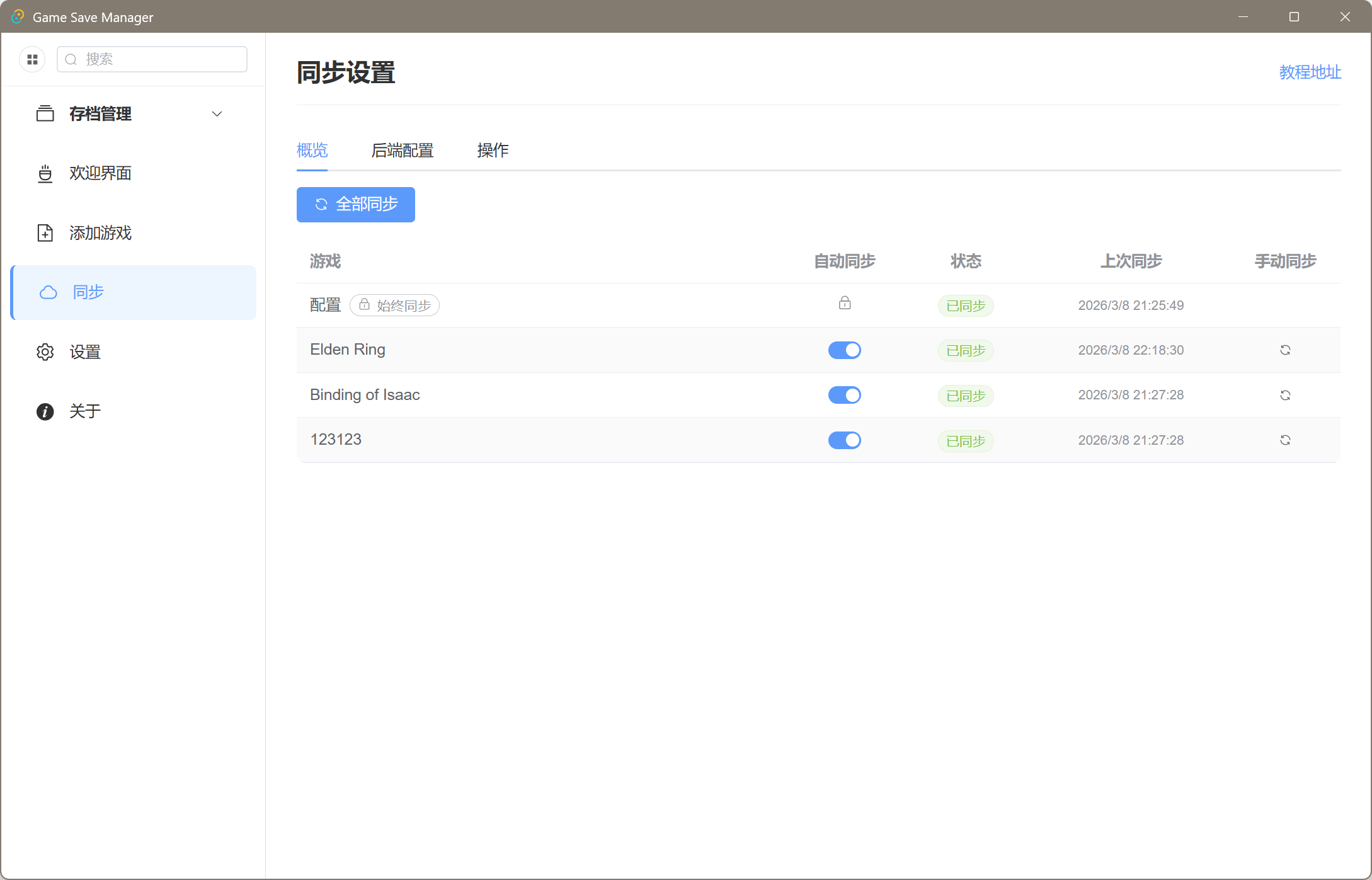
  • Add an overview of sync results, pending work, and the latest sync time
  • Track each device's position separately, supporting parallel branches and divergence on the same device
  • Run synchronization through background tasks to keep the interface responsive
  • Unify uploads and downloads through a streaming layer with hook extension points

Cloud-sync overview

Archives and backups​

  • Archive V2: replace BZip2 with Zstd and offer Store, Fast, Standard, and Maximum compression presets
  • Support files with the same name
  • Integrity checks: verify archives with XXH3 before restoring to reject corrupted backups
  • Windows registry: back up and restore registry save data with source fingerprints
  • Unchanged files: skip scheduled backups when XXH3 fingerprints show no changes

Undo and extra backups​

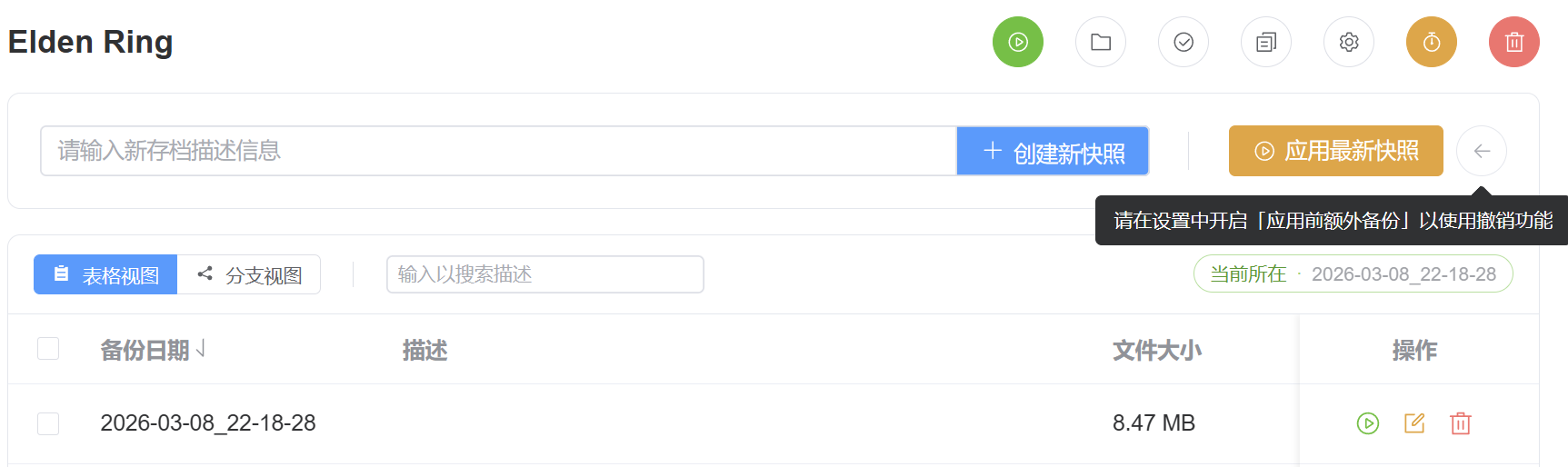
  • Add Undo last applied snapshot to the management page

Undo restore

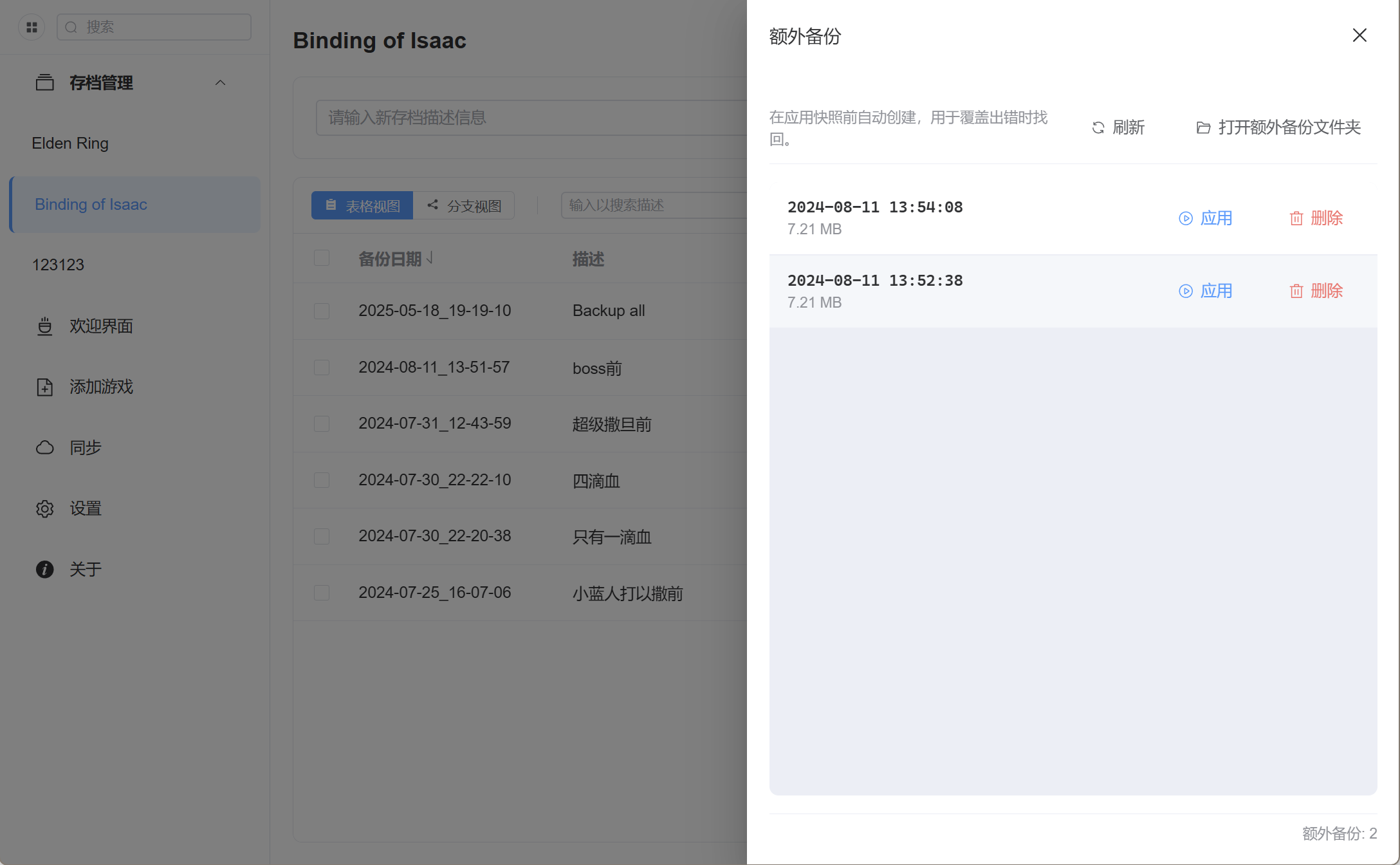
  • Add management for extra overwrite backups

Extra-backup management

Interface improvements​

  • Custom fonts and appearance settings
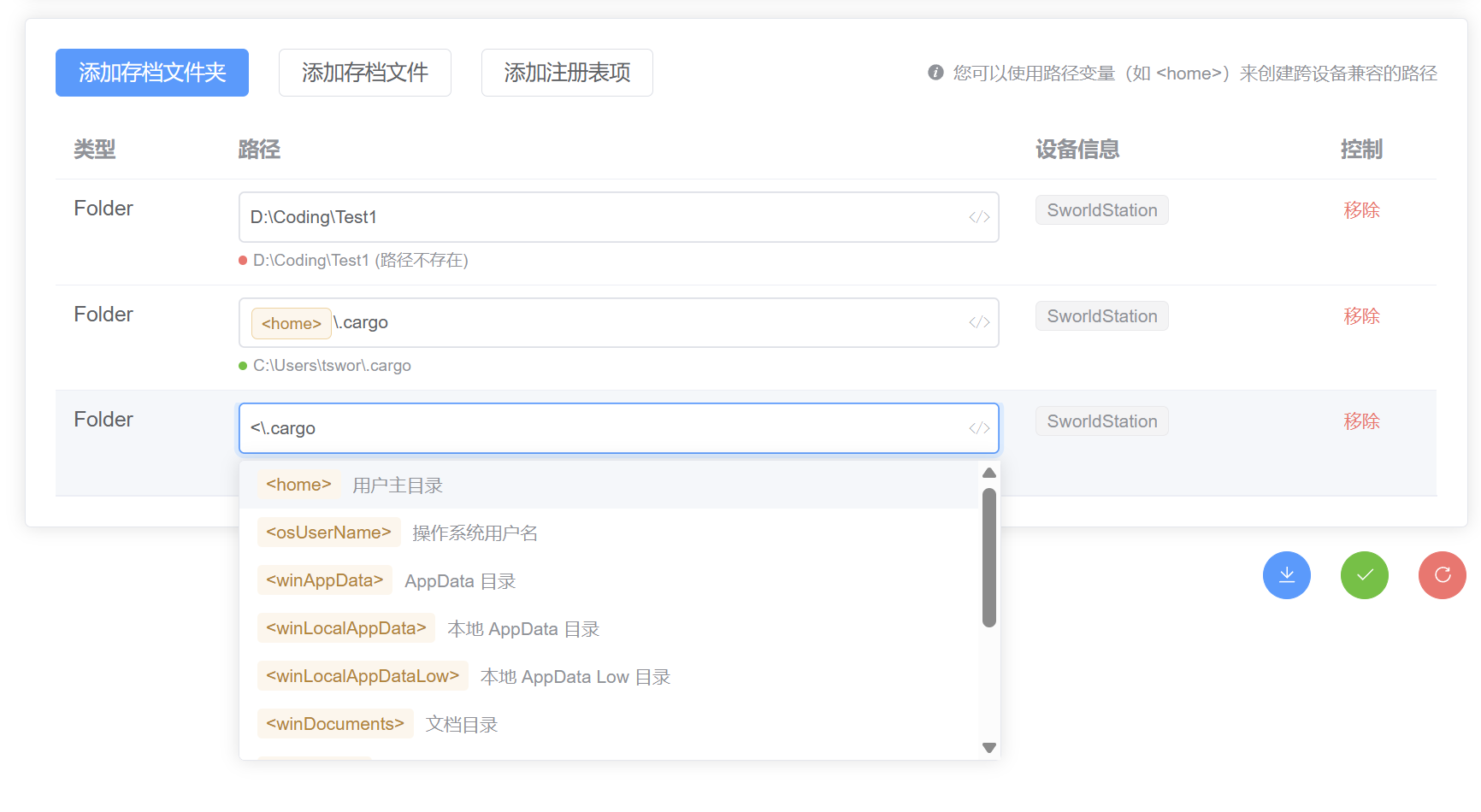
  • Redesigned path-variable editor with clearer status information
  • Batch deletion of selected snapshots
  • Centralized feedback and notifications with shared z-index management

Interface improvements

Fixes​

  • Preserve existing files after failed cloud downloads or writes and strengthen atomic rollback
  • Fix upload protection for backends that cannot overwrite files
  • Fix ZIP timestamp compatibility
  • Prevent ZIP path traversal (Zip Slip)
  • Propagate semaphore-acquisition errors in backup_all
  • Fix unknown-backend errors when cloud sync is disabled
  • Fix the log button's position and improve log rotation
  • Remove the obsolete same-name file restriction when adding games

Performance​

  • Reduce unnecessary I/O during scheduled and batch backups
  • Reduce sidebar rendering overhead and expand it during search
  • Improve snapshot-table sorting and selection

Developer changes​

  • Add a typed lifecycle-hook pipeline for snapshot creation, deletion, and restoration
  • Refactor IPC around game-draft input and backend-assigned IDs; expose typed hook and sync commands
  • Add pre-commit checks with Husky, lint-staged, Clippy fixes, and typechecking
  • Update rgsm core to 1.8.0
  • Track multiple device positions in sync metadata
  • Upgrade archive metadata to V2, including compression presets and XXH3 hashes
  • Add save_unit_id to save configuration
  • Add Criterion benchmarks for compression algorithms

Download​

The portable build is recommended. If it will not start, install WebView2.

Full changelog

Discussions​

V1.6.0 Snapshot branches and portable-mode fixes

· 2 min read
Sworld
Game Save Manager maintainer

This release adds snapshot branches, fixes the portable build's data location, and improves storage policies for automatic backups.

Highlights​

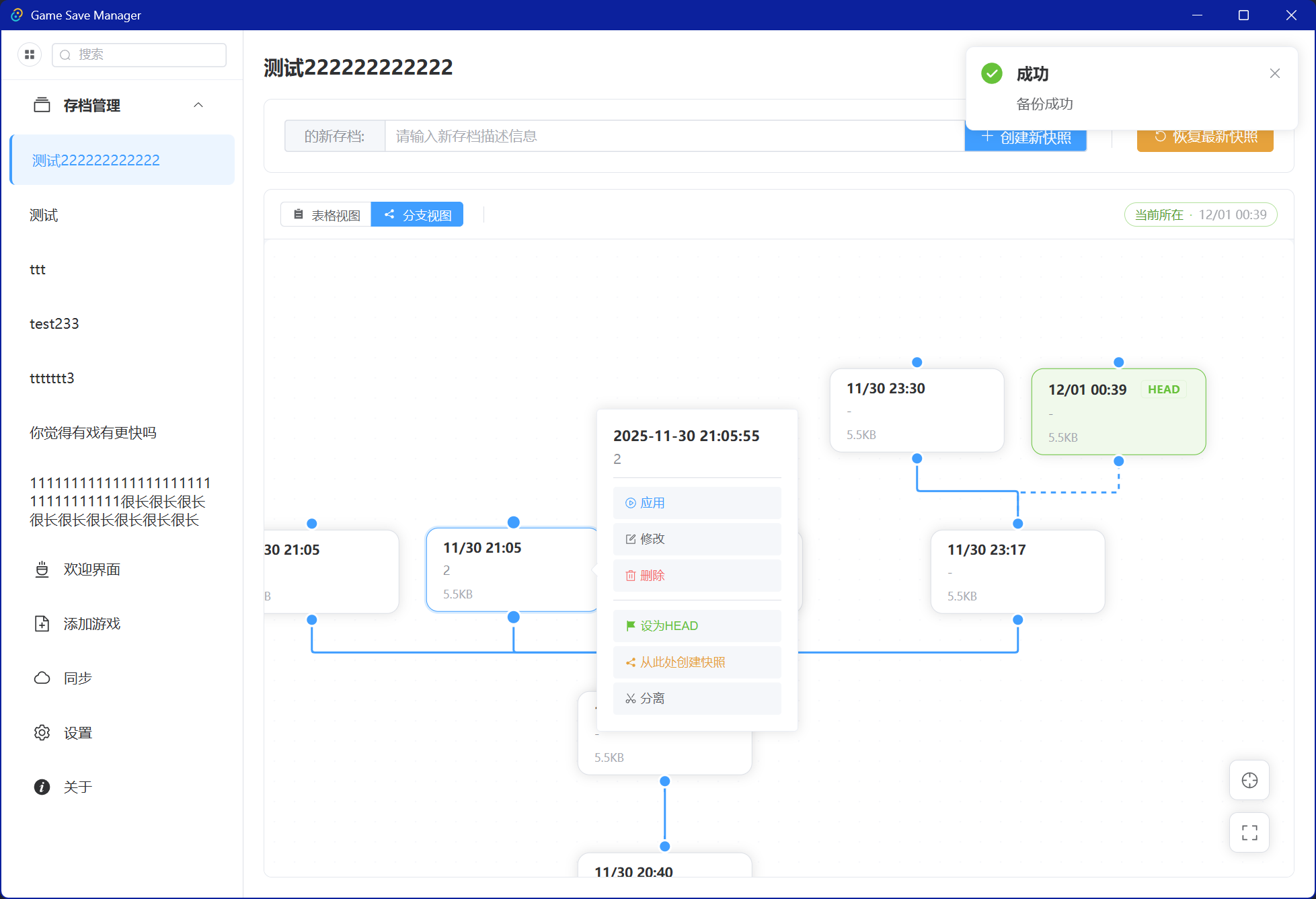
  • Snapshot branches: create separate branches for different storylines or playthroughs and switch between them

    Branch view

  • Automatic-backup retention: set a maximum count or age and clean up older automatic backups

  • Timestamps: preserve file modification times during backup and restore; folder timestamps remain unsupported in this release

  • Interface: improve the appearance and clarity of the game-management page

Fixes​

  • Store portable data beside the executable instead of in the current working directory

Full changelog

Plans for the next release​

Developer changes​

  • Add pkg-config and libasound2-dev to the Ubuntu build environment
  • Add the copilot-setup-steps.yml workflow and refresh build workflows
  • Introduce consistent linting and formatting across the project
  • Upgrade Nuxt from 3.16.0 to 3.19.0 and rgsm core to 1.6.0
  • Add head to JSON files under save_data/game name, pointing to the backup timestamp at the current branch position

Download​

The portable build is recommended. If it will not start, install WebView2.

Discussions​

V1.5.4 Quick backups and usability improvements

· 2 min read
Sworld
Game Save Manager maintainer
warning

This release has no Linux build because of a dependency-related CI failure. A fix is planned for the next version.

Highlights​

  • Sound notifications: add sound feedback for quick actions, with custom sounds and previews
  • Interface: add a global loading indicator and a preference for expanding save lists
  • Devices: allow secondary devices to be deleted

Fixes​

  • Fix extra-backup errors and missing backend events
  • Show the current backup interval in the tray
  • Improve error handling when checking cloud settings
  • Fix setting a game as the home page
  • Fix quick-backup display issues

Full changelog

Plans for the next release​

  • Multiple devices and cloud sync
  • Quick backups
  • Usability improvements
  • Save-location detection
  • Milestone details

Developer changes​

  • Update Tauri and related dependencies
  • Centralize quick-backup features and asynchronous audio handling
  • Add device-management settings, sound-notification settings, and save-list expansion preferences to GameSaveManager.config.json

Download​

The portable build is recommended. If it will not start, install WebView2.

Discussions​

V1.5.0 Path variables, multiple devices, and Tauri 2

· 3 min read
Sworld
Game Save Manager maintainer

This release upgrades the application from Tauri 1 to Tauri 2.

  • Upgrading from v1.4.x or earlier: back up your data first. Manually select your existing installation directory in the installer. For portable installations, back up your data and replace the executable.
  • New users: download and install the latest release.

Highlights​

  • Multiple devices and path variables: the backend supports device management and custom path variables. New interface controls let you configure variables and view device information.
  • Tauri 2 migration: the application moves to Tauri 2, with typed Specta exports for backend communication.
  • Window state and device setup: window size and position are restored on startup, and the new-device setup flow is improved.
  • Configuration upgrades: configuration from v1.4.x can be upgraded to v1.5.0.

Other improvements​

Features​

  • Redesign the home page
  • Add all unrecognized games to favorites in one action
  • Submit backup descriptions with Enter
  • Improve editing the game launch path under Game management → View managed files
  • Detect new devices and offer to copy another device's path settings
  • Improve the sidebar, language switcher, and logs
  • Improve internationalization initialization and language settings
  • Adapt hotkeys to Tauri 2
  • Record panics and use local time in logs
  • Improve settings interactions and cloud-backend checks
  • Upgrade to Rust Edition 2024 and target ES2022 in Nuxt

Fixes​

  • Fix styling, navigation, dark mode, and translated text
  • Fix incomplete panic capture, incorrect notifications, and tray icon IDs
  • Fix dependency installation and runner configuration in CI/CD #187, #189

Refactoring and maintenance​

  • Replace frontend invoke calls with typed Specta exports
  • Convert callbacks to async/await
  • Manage temporary directories with temp-dir
  • Refactor the backend, introduce a preclude module, and improve notification handling
  • Update major dependencies, README files, and the developer guide
  • Update .gitignore and GitHub Actions workflows

Full changelog

Plans for the next release​

  • Improve synchronization and management across devices
  • Add practical path-variable presets and improve their interface
  • Expand automated test coverage
  • Detect file changes with XXH3 and improve automatic backups #190
  • Detect save locations automatically #8
  • Improve cloud saves #162

Developer changes​

  • Tauri 2: update window management, system integration, and IPC APIs; see the Tauri documentation
  • Specta: generate TypeScript types for frontend/backend communication with Specta
  • Backend architecture: revise configuration and device identification for multiple devices and path variables
  • Configuration: add devices and path_variables to GameSaveManager.config.json
  • Language standards: use Rust Edition 2024 and ES2022

Download​

The portable build is recommended. If it will not start, install WebView2.

Discussions​

V1.4.0 Favorites and hotkeys

· 2 min read
Sworld
Game Save Manager maintainer
  • Add hotkeys for quick actions at the bottom of settings
  • Add an option to favorite new games automatically
  • Manage favorites directly in the sidebar and remove the separate management page
  • Add Amazon S3 cloud sync support
  • Log successful completion of long tasks, improve IPC error handling, and remove unused error types
  • Fix the dark-mode toggle display
  • Improve quick actions
  • Remove the save-editing feature because of its bugs
  • Fix quick-backup display issues #151 (commit)
  • Fix state types, timer conditions, and configuration upgrades affected by refactoring #151 (commit)
  • Refactor the backend extensively
  • Add logs for applying and backing up all games #151 (commit)
  • Refresh outdated documentation #151 (commit)

Full changelog

Plans for the next release​

  • Environment-based path variables
  • Automatic save detection
  • Further bug fixes
  • Explore macOS improvements
  • Milestone details

Developer changes​

  • Update dependencies and restructure the backend; see the changelog
  • Add quick_action in GameSaveManager.config.json to store hotkeys and their selected games

Download​

Discussions​

V1.3.0 Maintenance update

· One min read
Sworld
Game Save Manager maintainer
  • Add logging with optional log files
  • Add batch deletion
  • Improve display and interaction issues
  • Improve configuration upgrades
  • Keep the warning visible until backup or restore finishes
  • Fix dark-mode colors
  • Fix table overflow with many saves
  • Reject duplicate game names without regard to letter case

Plans for the next release​

  • Environment-based path variables
  • Automatic save detection
  • Further bug fixes
  • Explore another cloud backend and macOS improvements
  • Milestone details

Developer changes​

  • Document Vue DevTools setup
  • Update dependencies and recommended VS Code extensions
  • Add Settings.log_to_file in GameSaveManager.config.json
  • Add SemverError(#[from] semver::Error) in src-tauri/src/errors.rs for semantic-version parsing failures, usually caused by configuration issues

Download​

Discussions​

V1.2.0 Favorites

· 2 min read
Sworld
Game Save Manager maintainer

This release adds favorites management and improves prompts, sorting, and hierarchy controls.

Changes​

  • Add a nested favorites tree with drag-and-drop editing
  • Support reordering games by dragging in settings
  • Add a default option to delete existing saves before applying a backup
  • Switch between favorites and the menu in the sidebar
  • Choose whether the favorites tree expands by default
  • Show messages for missing directories and failed extra backups
  • Choose a home page
  • Prevent duplicate game names
  • Fix incorrect i18n markers
  • Fix display issues with long favorites lists
  • Fix drag sorting after reopening a window

Configuration changes​

In GameSaveManager.config.json:

  • Add favorites; see JSON files
  • Add Settings.default_delete_before_apply for new games
  • Add Settings.default_expend_favorites_tree to expand favorites by default
  • Add Settings.home_page for the default home page

Download​

Discussions​

V1.1.0 Internationalization

· One min read
Sworld
Game Save Manager maintainer

V1.1.0 adds support for multiple languages.

Changes​

  • Move locales into src-tauri for future updates
  • Replace the image in the add-game dialog
  • Fix translations in the sidebar and add-game dialog

Configuration changes​

In GameSaveManager.config.json, Settings gains a locale: string field.

Download​

Discussions​

V1.0.0

· 4 min read
Sworld
Game Save Manager maintainer

After several years of development, Game Save Manager V1.0.0 is ready, together with a new official website.

Before installing​

  • This release is incompatible with previous test versions. Use a fresh installation.
  • Red buttons perform potentially destructive operations. Read the guide before using them.
  • If the portable build will not start, install WebView2 or use the installer.

Download​

Highlights​

  • Multiple save files and folders
  • Cloud backups through WebDAV
  • Scheduled backups
  • Quick actions from the system tray
  • Application size under 10 MB and roughly 5 MB of background memory use
  • Open save locations directly
  • Game sorting
  • Dark mode
  • Internationalization framework
  • Safety improvements
  • Edit existing saves

Discussions​

What's changed​

New Contributors​

Full Changelog: https://github.com/mcthesw/game-save-manager/compare/0.3.0...latest-release